Is your Windows PC getting slow day by day? 😓
Do you feel lag, app crashes, or storage warnings?
💡 You don’t need any paid software or technician. In this post, I’ll share 5 powerful Windows cleanup tricks to boost your PC performance instantly — using just built-in tools!
Whether you’re a beginner or a techie, this guide is for you.
🔧 1. Delete Temporary Files Using Run Command
Windows stores junk files in hidden folders. Here’s how to clear them:
➤ Steps:
Press Win + R
Type
%temp%,temp, andprefetch(one by one)Select all files and delete them
🧹 Result: Frees up 1–5 GB of space, depending on usage!
💻 2. Update All Apps with One CMD Command windows cleanup tricks
No need to update apps one by one. Use this powerful command:
➤ Command:
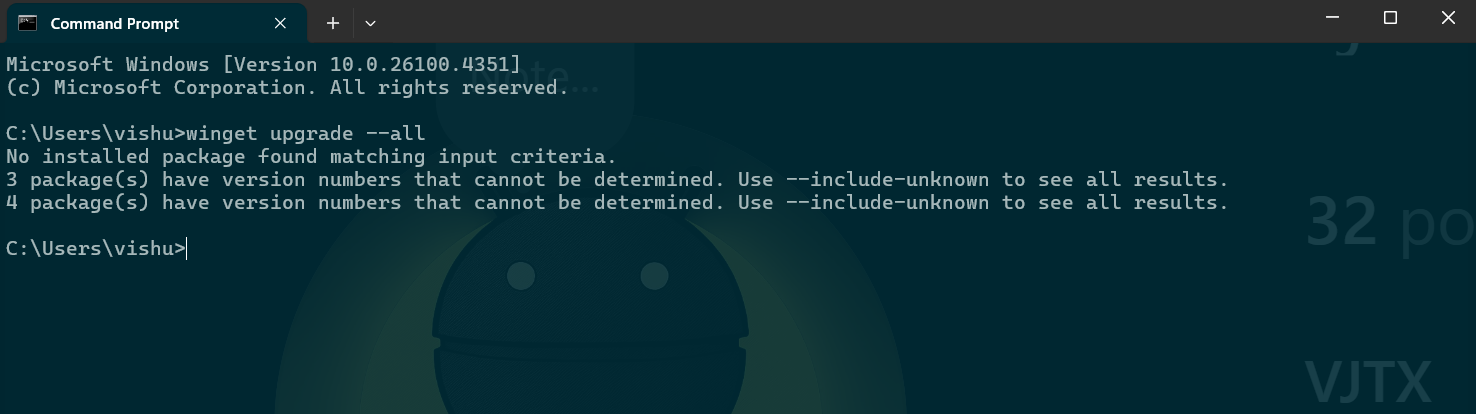
Paste this into CMD (run as administrator)
📦 Result: All installed apps get updated — better performance and security.
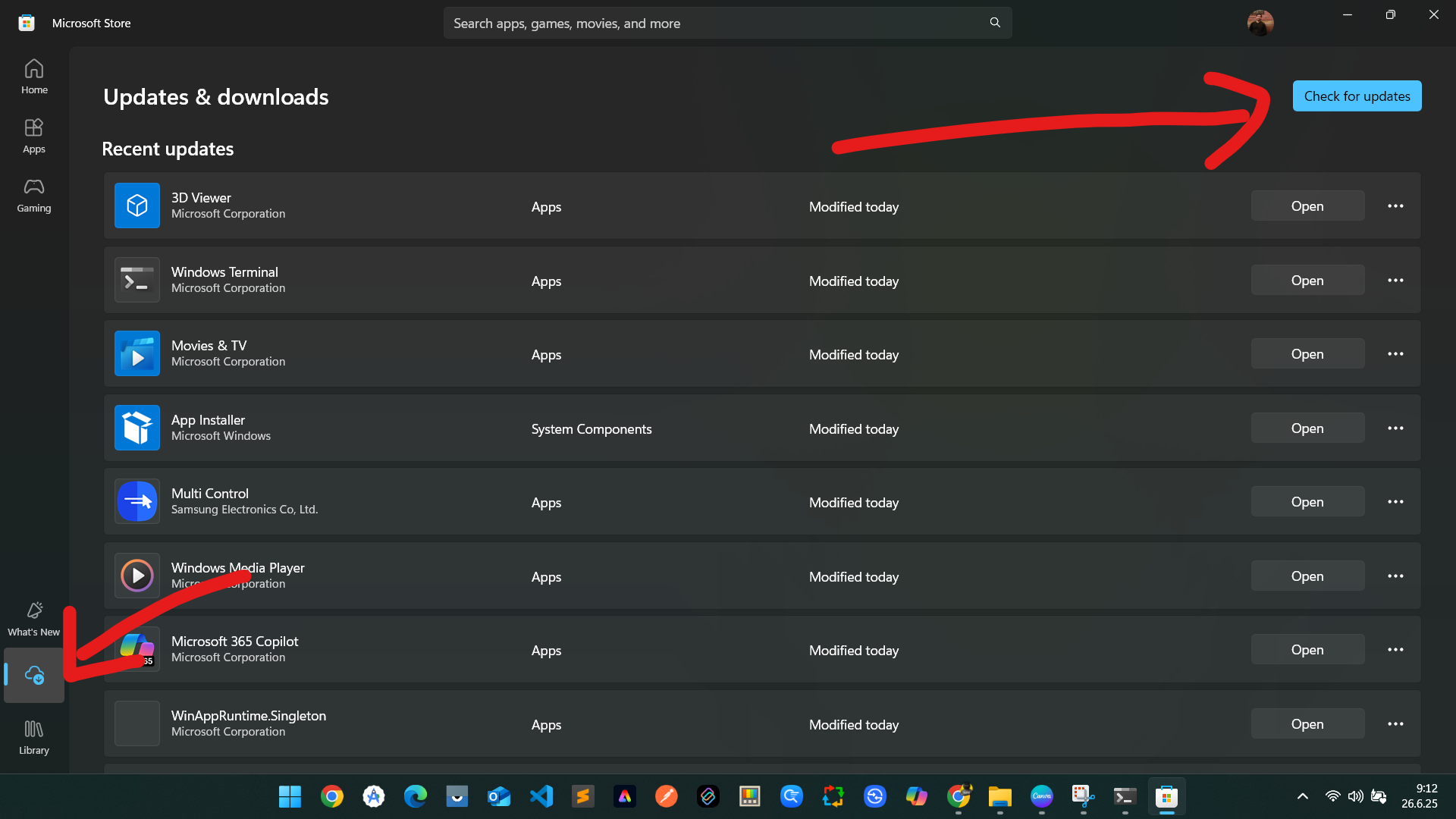
🛍️ 3. Update Microsoft Store Applications

➤ Steps:
Open Microsoft Store
Click Library
Hit Get Updates
📈 Result: Prevents lag/crash in default apps like Photos, Mail, Xbox, etc.
🧼 4. Use Disk Cleanup Tool
Disk Cleanup is Windows’ built-in junk remover.
➤ Steps:
Search “Disk Cleanup” in Start
Select drive (usually C:)
Tick all options (Temporary files, Thumbnails, etc.)
Click OK
🧽 Result: Deletes old update files, offline web pages, log files.
🗑️ 5. Remove Temporary System Files via Settings
Lorem ipsum dolor sit amet, consectetur adipiscing elit. Ut elit tellus, luctus neca
Windows also stores junk in Settings.
➤ Steps:
Open Settings → System → Storage
Click Temporary files
Select all (except Downloads) → Delete
📌 Bonus: You can enable Storage Sense to auto-delete in future!
ullamcorper mattis, pulvinar dapibus leo.
🟢 Conclusion: Clean PC, Faster Life!
Doing these 5 tricks once a week can keep your PC:
✅ Fast
✅ Junk-free
✅ Safe
💡 No need for CCleaner or random speed-boost software.
Just Windows + Logic = Speed Boost 💻⚡
If you found this helpful, share it with your friends!
Also, follow me on Instagram and YouTube @VJTX for quick tech hacks, app guides, and tutorials.