Is your Windows PC getting slow day by day? π
Do you feel lag, app crashes, or storage warnings?
π‘ You donβt need any paid software or technician. In this post, Iβll share 5 powerful Windows cleanup tricks to boost your PC performance instantly β using just built-in tools!
Whether you’re a beginner or a techie, this guide is for you.
π§ 1. Delete Temporary Files Using Run Command
Windows stores junk files in hidden folders. Here’s how to clear them:
β€ Steps:
Press Win + R
Type
%temp%,temp, andprefetch(one by one)Select all files and delete them
π§Ή Result: Frees up 1β5 GB of space, depending on usage!
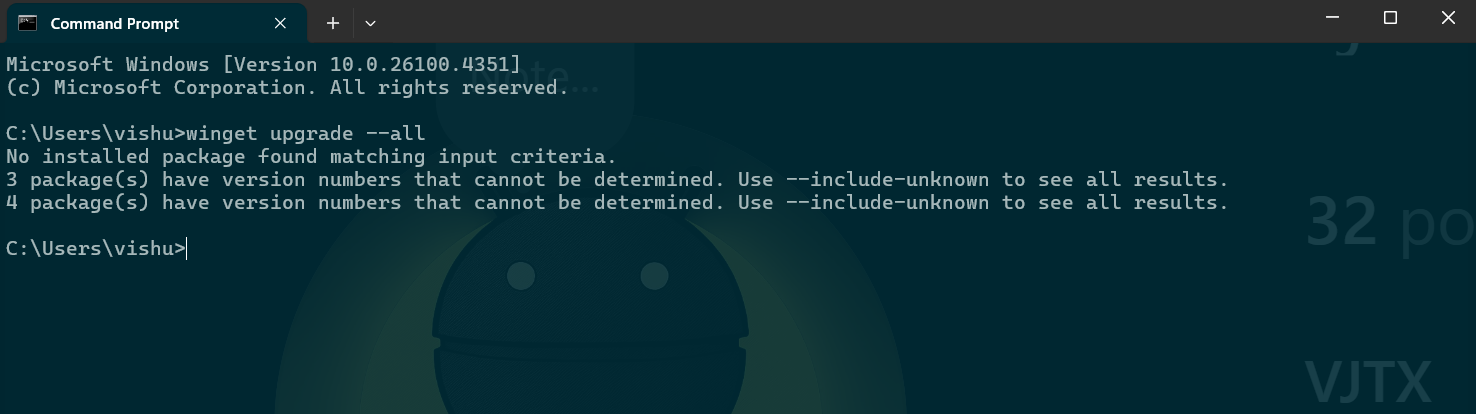
π» 2. Update All Apps with One CMD Command windows cleanup tricks
No need to update apps one by one. Use this powerful command:
β€ Command:

Paste this into CMD (run as administrator)
π¦ Result: All installed apps get updated β better performance and security.
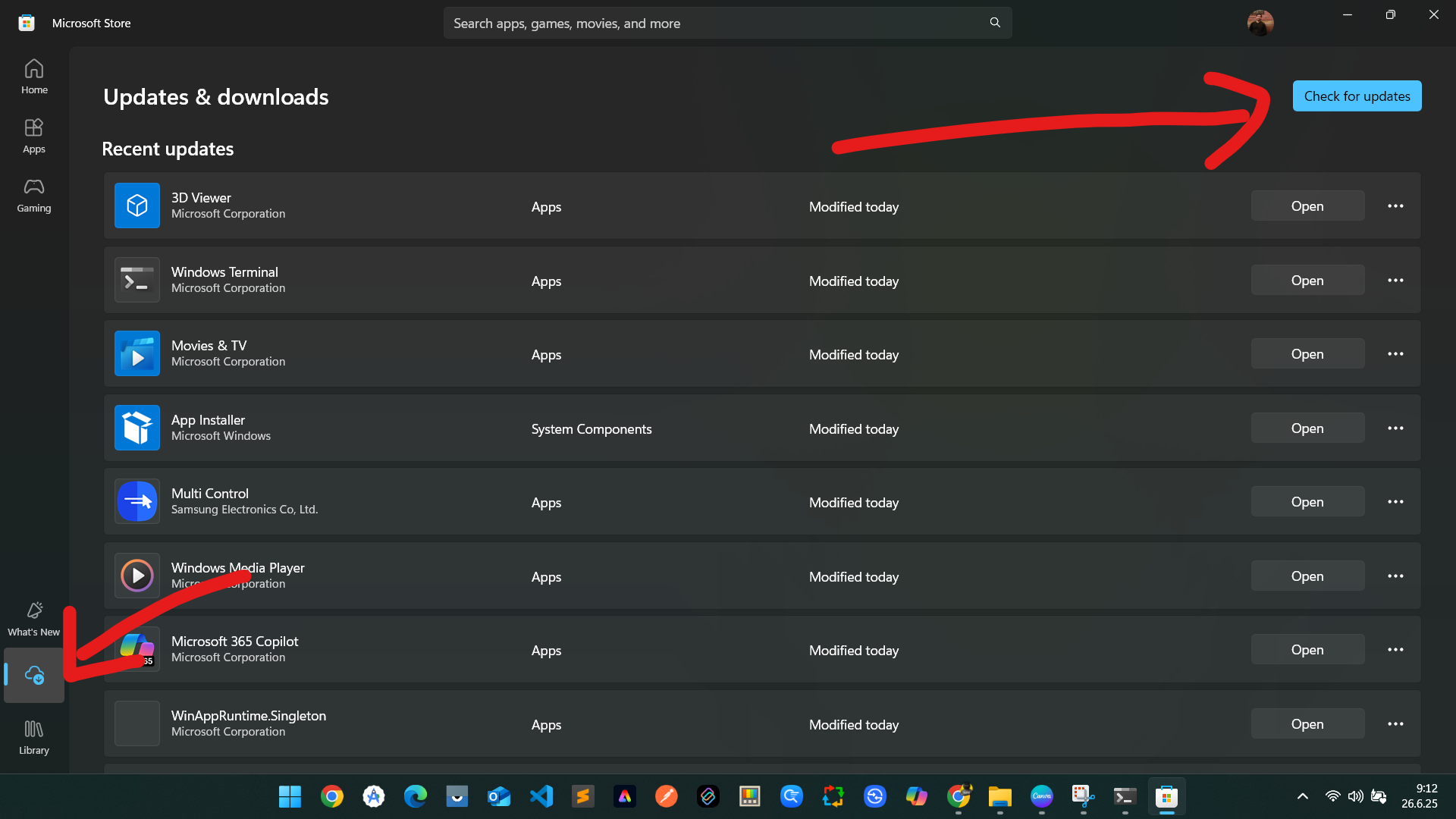
ποΈ 3. Update Microsoft Store Applications
Β

β€ Steps:
Open Microsoft Store
Click Library
Hit Get Updates
π Result: Prevents lag/crash in default apps like Photos, Mail, Xbox, etc.
π§Ό 4. Use Disk Cleanup Tool
Disk Cleanup is Windows’ built-in junk remover.
β€ Steps:
Search βDisk Cleanupβ in Start
Select drive (usually C:)
Tick all options (Temporary files, Thumbnails, etc.)
Click OK
π§½ Result: Deletes old update files, offline web pages, log files.
ποΈ 5. Remove Temporary System Files via Settings
Lorem ipsum dolor sit amet, consectetur adipiscing elit. Ut elit tellus, luctus neca
Windows also stores junk in Settings.
β€ Steps:
Open Settings β System β Storage
Click Temporary files
Select all (except Downloads) β Delete
π Bonus: You can enable Storage Sense to auto-delete in future!
ullamcorper mattis, pulvinar dapibus leo.
π’ Conclusion: Clean PC, Faster Life!
Doing these 5 tricks once a week can keep your PC:
β
Fast
β
Junk-free
β
Safe
π‘ No need for CCleaner or random speed-boost software.
Just Windows + Logic = Speed Boost π»β‘
If you found this helpful, share it with your friends!
Also, follow me on Instagram and YouTube @VJTX for quick tech hacks, app guides, and tutorials.